|
|
|
|
|
It is possible that the download link provided above does not refer to the intended version.
If you are looking for MetaProducts Portable Offline Browser, you may try searching for a download link using
Google. |
|
| |
|
Review
This review applies to version 5.3
The latest version of this software will soon be reviewed by our
informers.
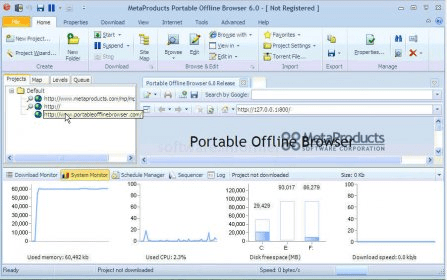
MetaProducts Portable Offline Browser 5.3 .2932 Service Release 1 is the newest released version of this shareware program. There is a trial version available for downloading free of charge from the developer’s website. When installing, we are allowed to select any of the following languages: English, Italian, Dutch, French, Hungarian, Polish, Magyar, and Brazilian Portuguese. This software can help us download web pages so we can view them offline with its built-in browser. We can edit, organize, add templates, and export them to any portable device. It features a New Project Wizard, which will help us along giving clear step-by-step windows for us to enter a new downloading task. Portable Offline Browser has been updated and improved, several bugs have been fixed, other options have been disabled, and new features added. The full development history for this product is available from the developer’s website. Here are a few examples of the completely new options: -Support for Chrome browser and Safari Browser bookmarks, VAR tags and UTF-8 encoded names in torrent files. - BitTorrent Downloads dialog and popup menu. - We can specify non-integer delays between downloads. It runs under Windows 2000, 2003, NT, XP, and Vista operating systems. |
- We can save money by browsing our downloads offline.
- Helpful Wizard.
- Available in several languages.
- Free Demo.
|
|
|
Reviewed by: Maria José Carrasco Zamora Reviewer rating: Reviewed: 3 years ago
|
What's new in version 6.0 beta
Improved Backstage file types chart alignment Improved YouTube video downloads Added ability to view downloaded video full-screen Improved filtering out ads engines on web pages Improved filtering in the Tools - Deleted Projects dialog Improved processing URL Substitutes rules that end with $ symbol Added internal browser page when serious settings error occurs Improved startup speed and checking Internet settings Improved pasting Project settings Improved removing web.archive.org scripts and HTML code Improved handing redirects within web.archive.org site Improved localization Improved recursive directories detection Added New section to the Ribbon Backstage Added Performance Monitor section to the lower part of the main screen Improved Project Summary text Improved Project Statistics Improved processing styles in some tags Bug Fix: Fixed autoplayback of downloaded video Bug Fix: Fixed localization issues Bug Fix: Fixed leaving temp files when parsing gzip-encoded HTMLs Bug Fix: Fixed following wrong links in some .js files Bug Fix: Fixed issue when pressing Alt key in dialogs Bug Fix: Fixed opening dialogs with nagative screen coordinates Bug Fix: Fixed setting custom user agent identification Bug Fix: Fixed License/Release Notes dialog when skinning all windows Bug Fix: Fixed Properties - Summary window alignment Bug Fix: Fixed some pages in the Internal web server |
|
Report a wrong version
Report a wrong program title
Suggest a correction
|
Screenshots
All 9 screenshots |
|
| .soe |
Offline Explorer Sequencer file |
| .wdq |
Offline Explorer Queue file |
| .boe |
Offline Explorer Backup file |
| .oetpl |
Offline Explorer Template file |
|